The cloud always runs the newest state.
It includes everything on this page and everything in the versions below. What is listed here becomes a version with the next release.
Click an entry to read the longer explanation.
New
-
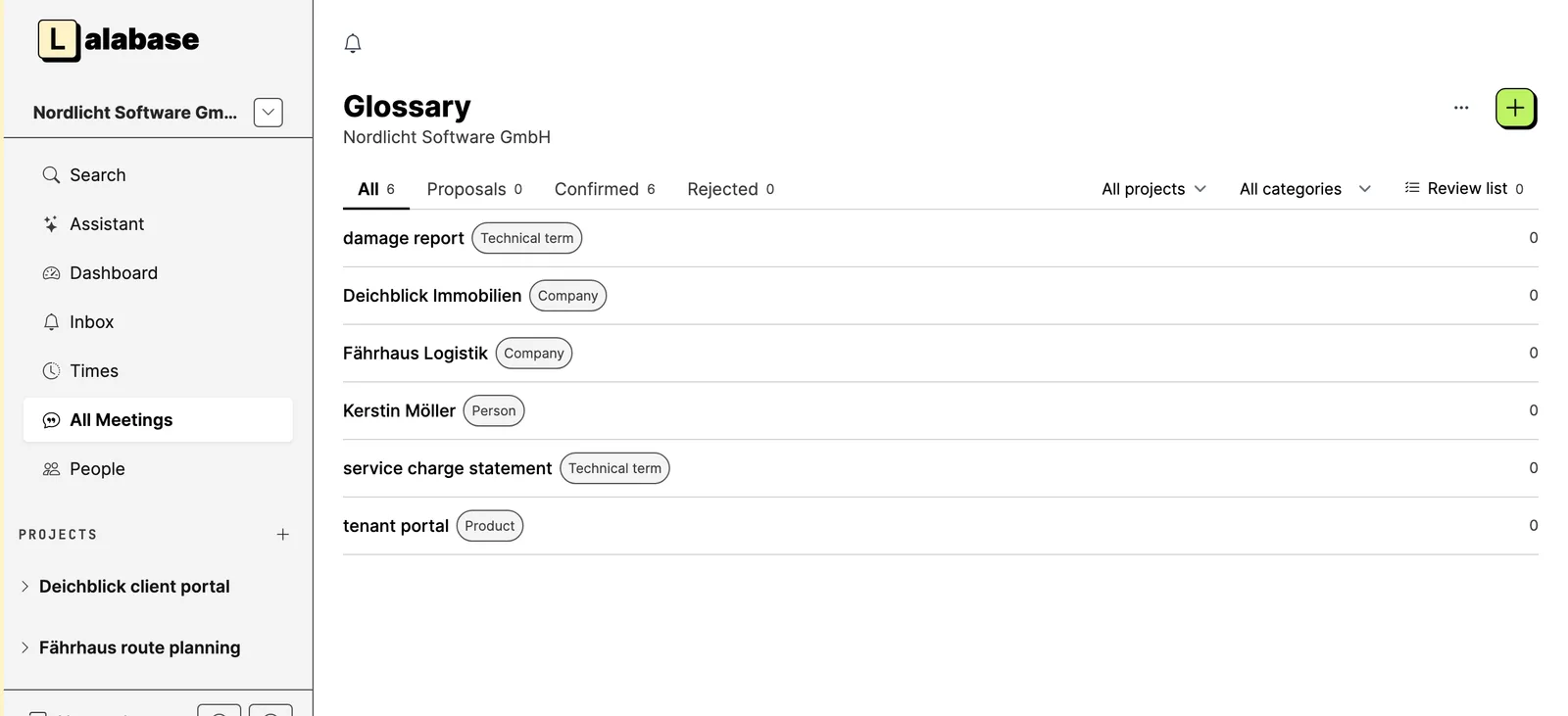
A glossary per organisation: keep your terms, paste a list and review suggestions from tickets, knowledge and documents.
- Before:
- Speech recognition often gets product names, technical terms and names wrong. You could not find them in a meeting's transcript, and there was no place that held the right spellings of your organisation.
- After:
- The glossary is the list of those spellings. You add terms one by one, paste a whole list (one term per line, checked before the import) or ask for suggestions: Lalabase reads tickets, notes and documents with your organisation's AI model, and you decide on every suggestion. Who may see and keep the glossary is set in the roles.
-
Correct a misheard word in a meeting. Lalabase learns it for the glossary and shows what it replaced.
- Before:
- A misheard word in a meeting's transcript stayed wrong, and the next meeting made the same mistake again.
- After:
- You mark the word in the transcript and choose "Correct", only there or everywhere in the meeting. Lalabase keeps the correction for the glossary, with speaker and project. When a meeting arrives with replacements from the glossary already made, Lalabase shows which words were changed.
-
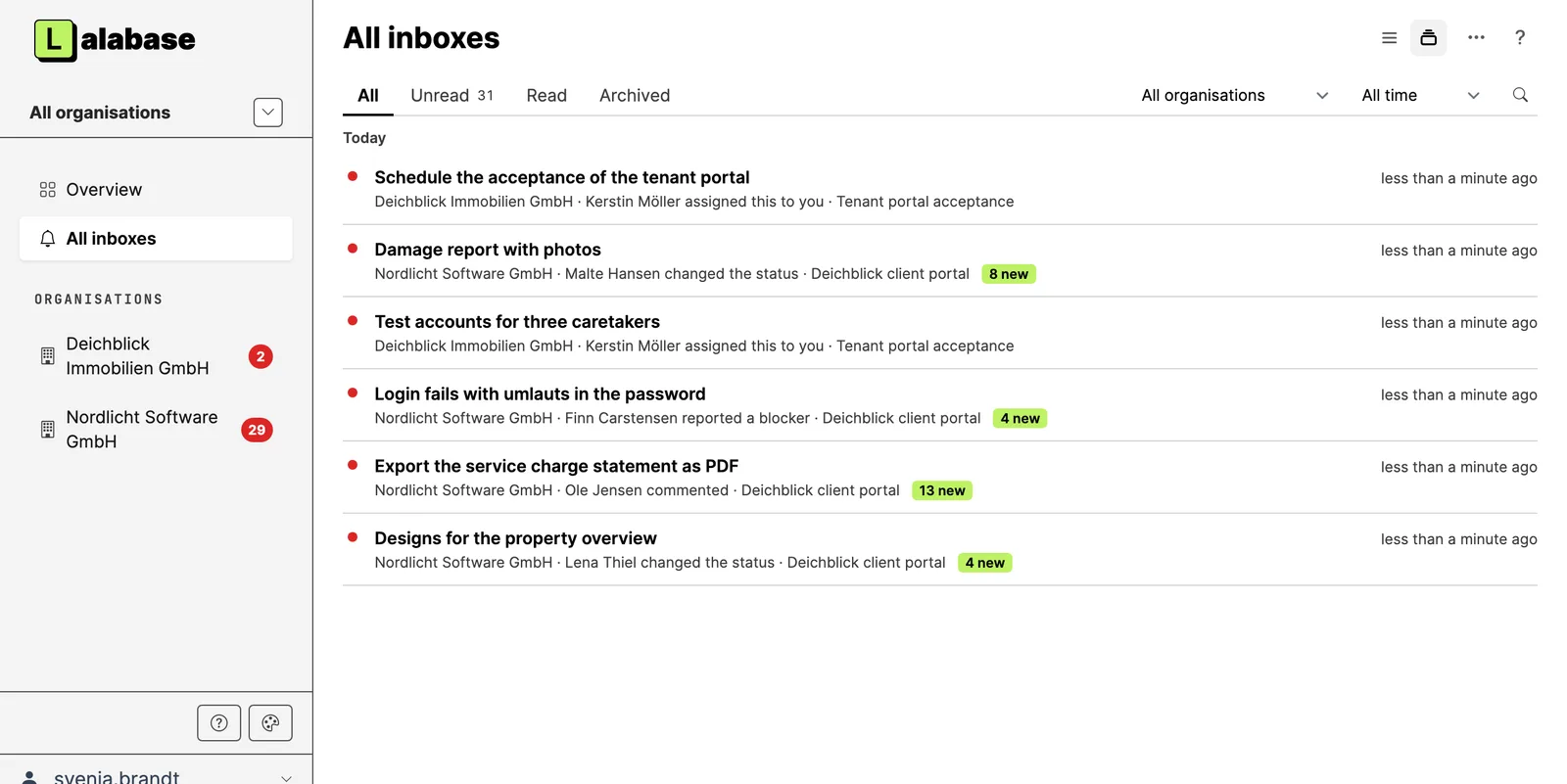
One inbox across all organisations: everything in one place, kept current, with actions on several entries at once.
- Before:
- If you work in several organisations, you had to open each inbox on its own to see whether anything new had come in.
- After:
- The all-inbox shows the notifications of all your organisations in one list, with the unread count per organisation. You read, archive or tick several at once, tickets, notes and documents open beside the list, and it stays current by itself. With two or more organisations you find it in the organisation switcher.
-
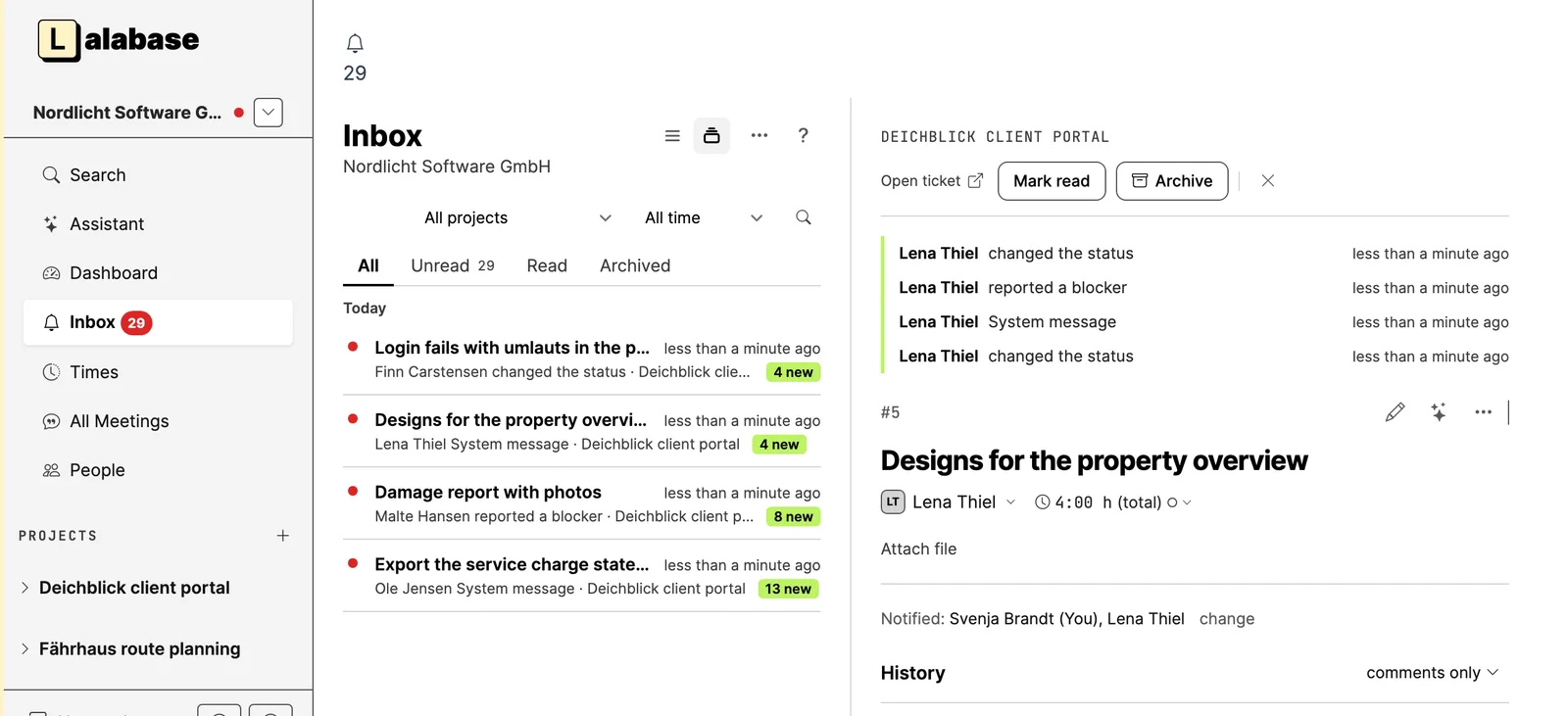
Inbox: actions on every row, search as you type, a period filter and views as tabs.
- Before:
- To mark a notification read or archive it, you had to open it first. The search started only on Enter, and there was no filter by period.
- After:
- With "···" on every row you mark a notification read or unread or archive it right away. The search shows hits while you type. At the top you switch between All, Unread, Read and Archived, and a period filter (this week, this month, last 30 days and so on) narrows the list.
-
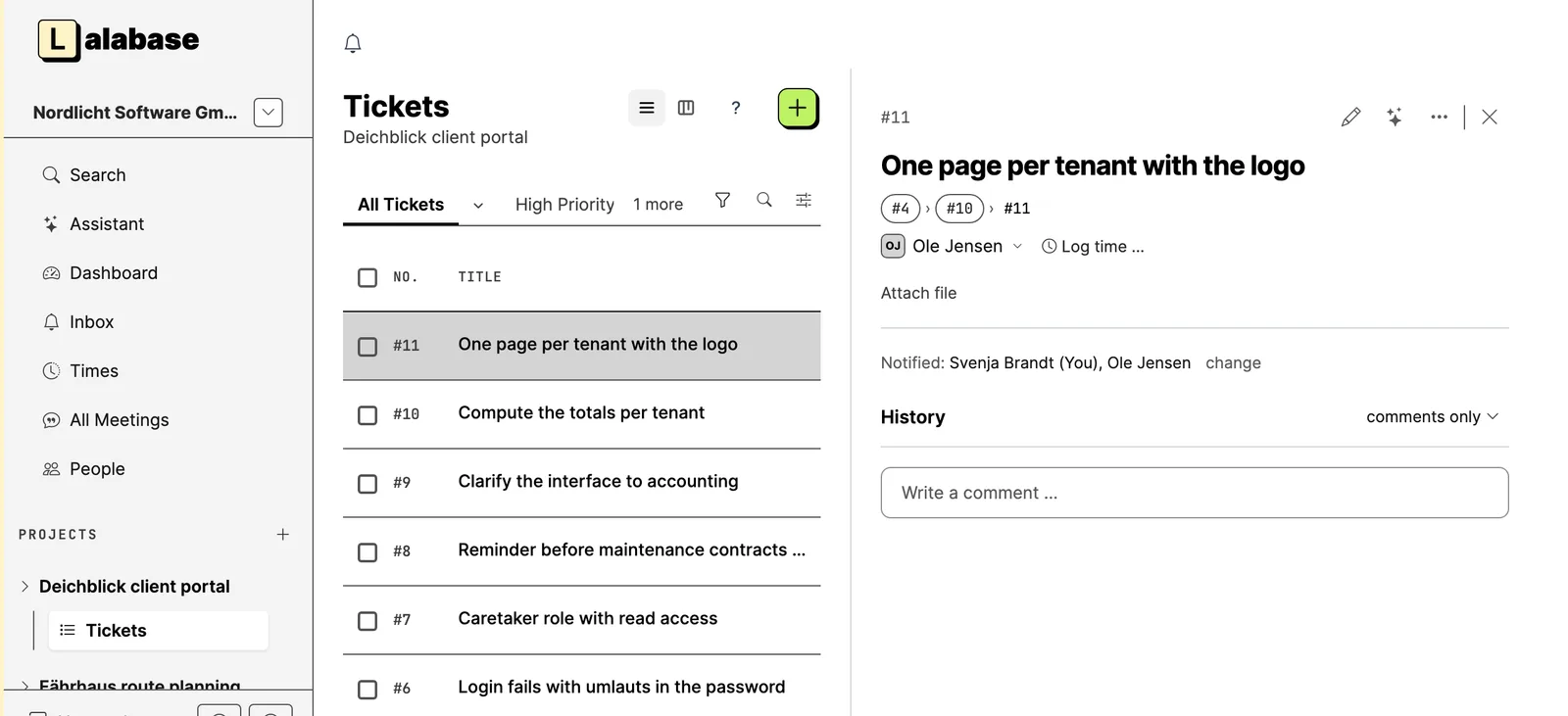
Sub-tasks at any depth.
- Before:
- A task could have only one level of sub-tasks. Larger pieces of work could not be split any further.
- After:
- Every sub-task can have sub-tasks of its own, as deep as your project needs. The head of a ticket shows the trail, for example #4 › #12 › #31, and one click takes you back to the parent task.
-
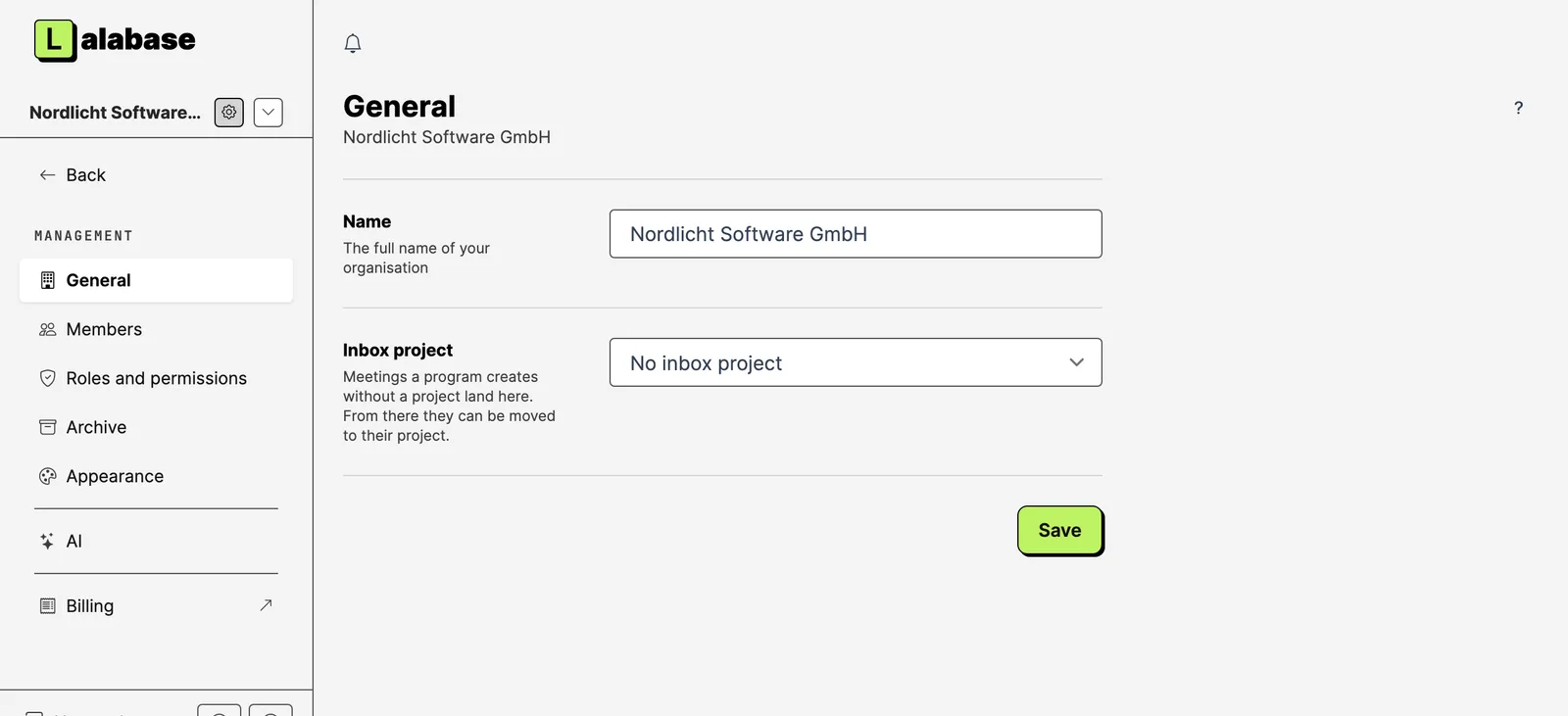
Choose an inbox project for meetings.
- Before:
- A meeting another program wanted to send to Lalabase always needed a project. If the program did not know one, there was no place for it.
- After:
- In the organisation settings you choose a project where such meetings land. From there you move them to the right project later. The project is marked on its start page and in the sidebar.
-
Read meetings and the glossary over the API and MCP, and create meetings there too.
- Before:
- Meetings existed only in the interface. Programs and AI assistants could not reach them or create any.
- After:
- Over the API and over MCP (the interface AI assistants like Claude use to work with Lalabase) meetings can be read, with participants, summary, notes and transcript, and created. Without a project they land in the inbox project. The glossary can be read as well. The same rights apply as in the interface.
Fixes & maintenance
-
The inbox in the design of the other lists: a list with a side lane.
- Before:
- The inbox worked differently from the other lists in Lalabase, with controls of its own.
- After:
- It looks and works like the ticket list: the notifications on the left, the open one beside them. You keep the list in view while you read.
-
New navigation: sidebars of their own for management, the level above your organisations and your account.
- Before:
- The sidebar looked much the same everywhere. In management, in your account and on the level above your organisations you had to find the way back yourself.
- After:
- The sidebar adapts: in management it shows its sections, above your organisations the overview, the all-inbox and your organisations with unread notifications, in your account the account pages. "Back" leads to where you came from. If you are in several organisations, the logo leads to the organisation select page.
-
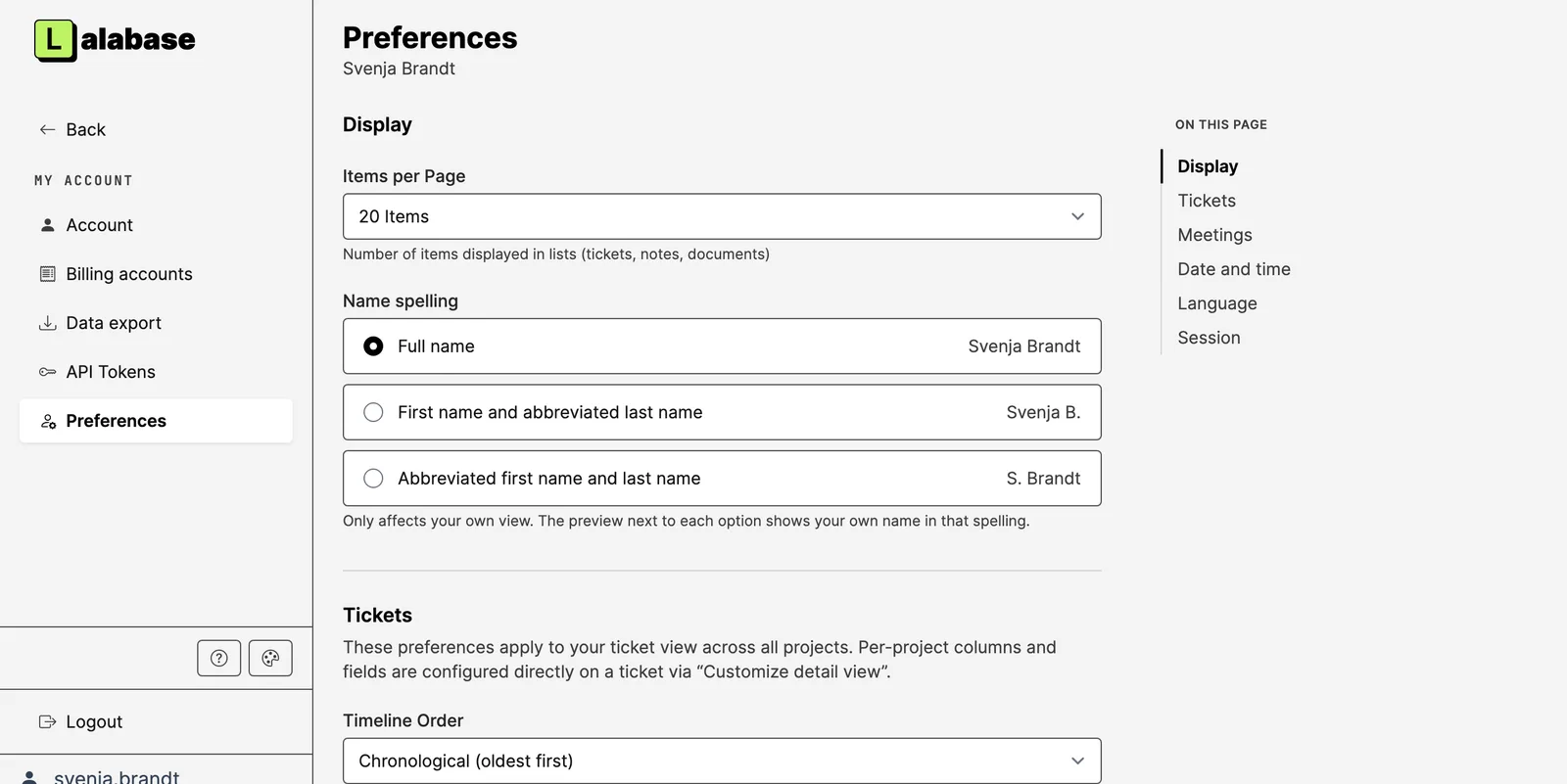
The account in three tabs. Preferences are one page that saves everything at once.
- Before:
- Personal data, password and deleting the account stood on one long page. The preferences were spread over seven small pages.
- After:
- The account has three tabs: personal data, password and delete account, with an explanation first and a pointer to the data export. The preferences are on one page, and every change is saved at once and confirmed with "Saved".
-
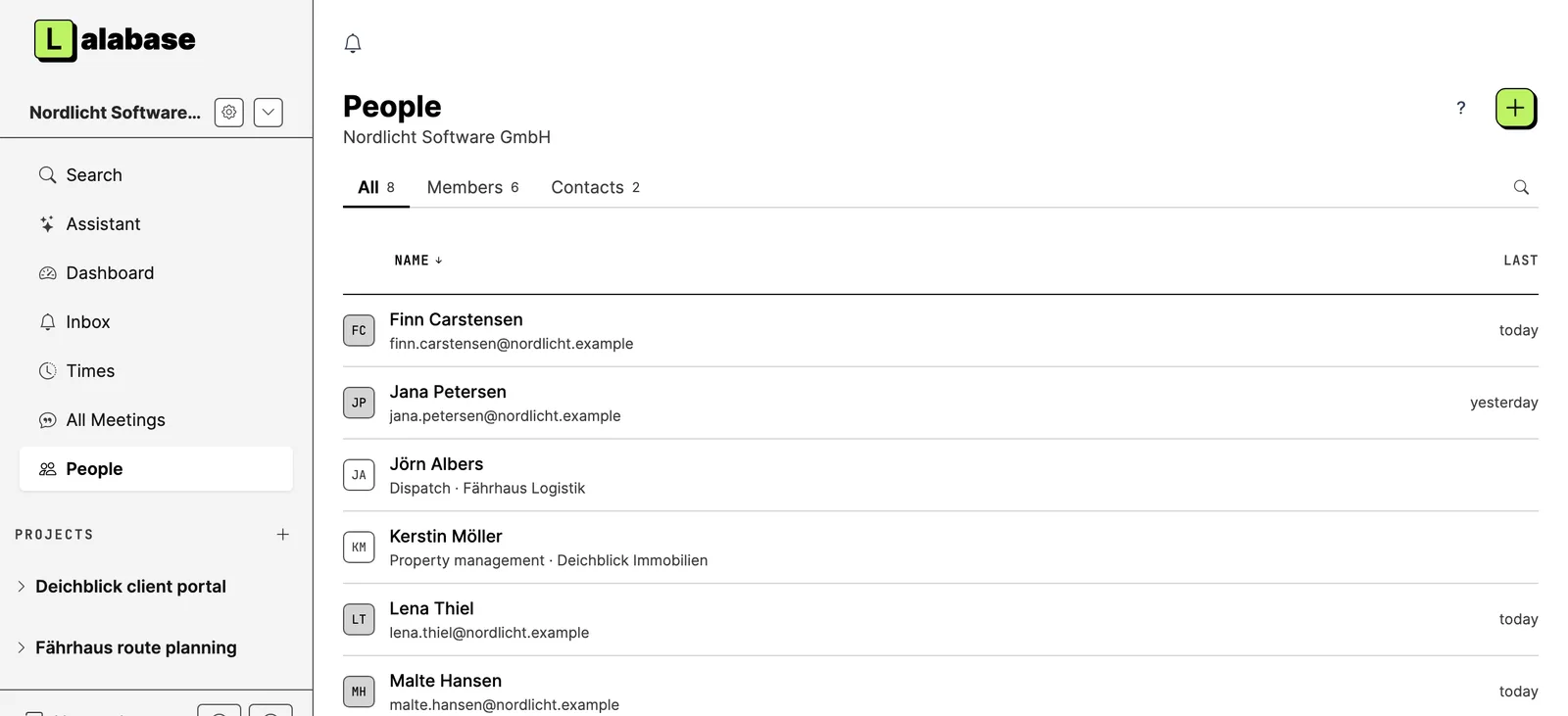
One list bar and view switch across tickets, times, inbox, people and glossary.
- Before:
- Inbox, people, glossary and tickets each had their own bar, search field and view switch, in different places.
- After:
- All of them have the ticket list's bar: views as tabs, the tools on the right and a magnifier for the search. The view switch is the same icon pair on tickets, times and inbox, and the main action ("+") is always on the outer right.
-
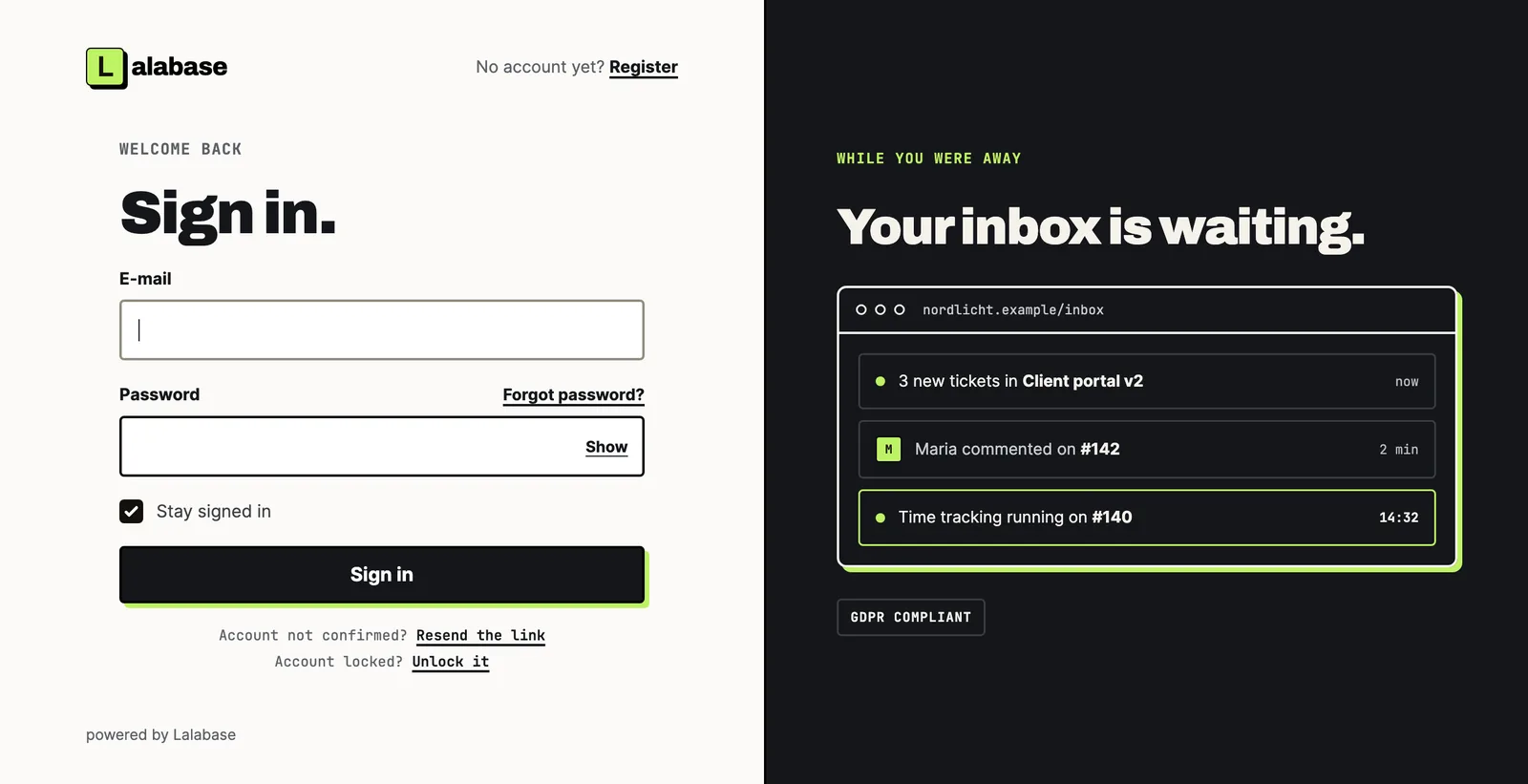
The sign-in pages in the new design.
- Before:
- The sign-in pages looked different from this website.
- After:
- Sign-in, forgotten password, confirmation, unlock and signing up through an invitation have the website's design. Nothing changes in how they work.
-
Documentation images come from your own instance and also show from private repositories.
- Before:
- Lalabase can show documentation from a Git repository. Its images loaded straight from the repository's host, and from private repositories they did not show at all.
- After:
- Lalabase copies the images and shows them only to people who may read the documentation. Images from private repositories show. Limits: 5 MB per image, no SVG yet.
-
A confirmation before deleting in meeting and note forms.
- Before:
- The delete button in the edit form of meetings and notes deleted at once, without asking.
- After:
- It asks first whether you really want to delete, as everywhere else.
-
Several security improvements, including sign-in and search over the API.
- Before:
- The sign-in pages revealed whether an email address had an account. The ticket search over the API also found words from private comments the searcher may not read.
- After:
- Both have stopped. On top come stricter checks on the API and the MCP interface, and updated libraries with known security issues.
Technical details and upgrade notes for self-hosting are in the changelog of the source code. Changelog on GitHub