Correcting misheard words
When speech recognition gets a word wrong, you correct it right in the transcript. Lalabase keeps the correction in the glossary, with speaker and project. Later you can see which words keep arriving wrong.
How it works
- Open the meeting. Whoever may edit the meeting can correct it.
- Mark the wrong word in the transcript: double-click, drag with the mouse or, on a phone, press and hold. Correct appears above the mark.
- Click Correct. The dialog Correct a term opens.
- Heard holds the marked form. Enter the right spelling under Right. If you may see the glossary, the field suggests its terms as you type.
- Check the Speaker. Whoever speaks in that line is preselected.
- Choose Replace only here or Replace everywhere. The number in brackets says how often the form appears in the transcript.
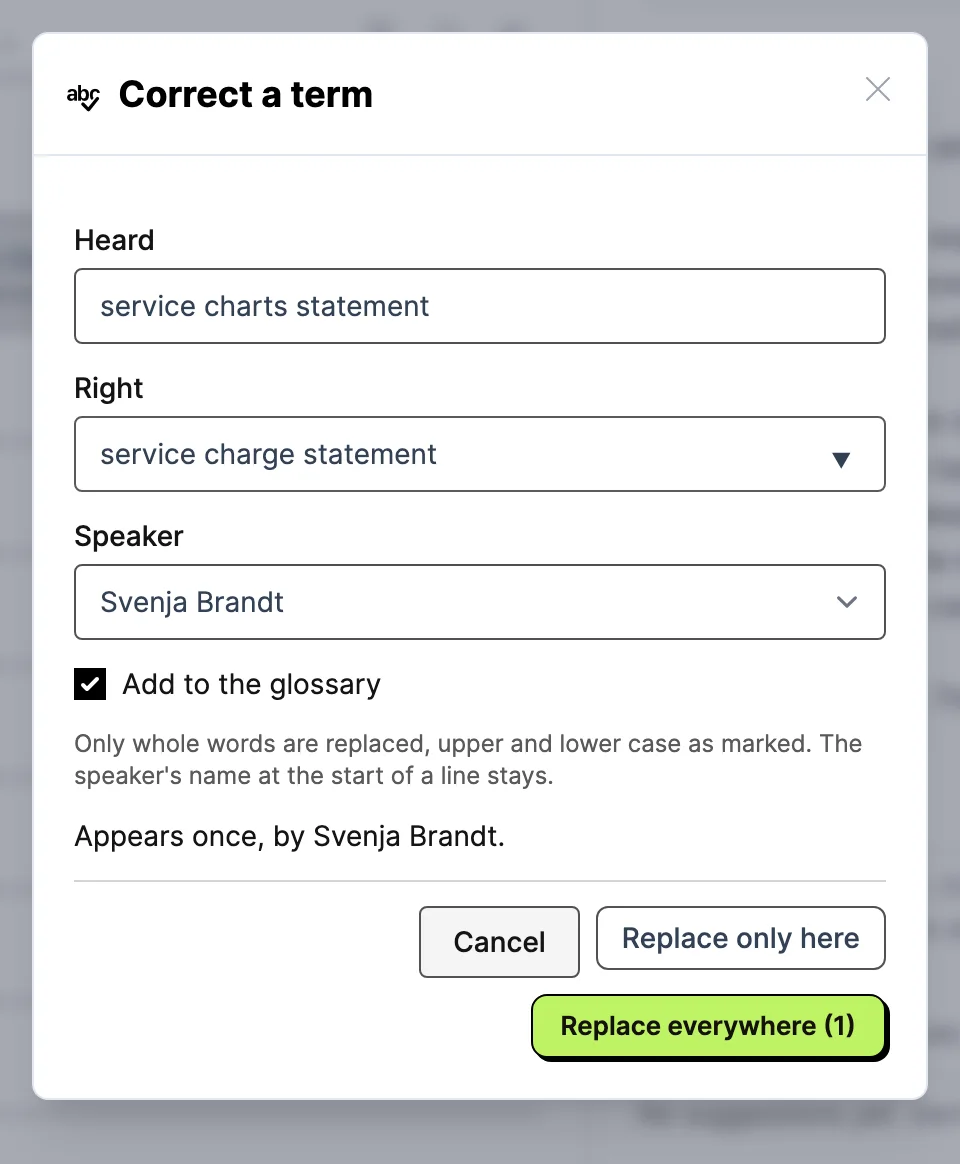
Example with invented data.
Only whole words are replaced, upper and lower case as marked. The speaker's name at the start of a line stays and cannot be corrected here: it belongs to the participant list. A mark does not reach beyond one line.
Into the glossary
With the tick in the dialog the correction goes into the glossary: the right spelling as a term, the marked form as a heard form of it, with speaker, project and meeting.
- Whoever may keep the glossary sees Add to the glossary. The correction works at once.
- Everyone else sees Propose for the glossary. Then it is a proposal that whoever keeps the glossary confirms or rejects. Until then it works nowhere.
Without the tick only the transcript changes.
Replacements before sending
A recording program can replace misheard words from the glossary before it sends a meeting. Then Righted from the glossary with the number of places stands above the transcript. Opened, the line shows which form was replaced by which term.