The CLI tool
lalabase is a full-screen client for the terminal. Read your inbox, go through tickets,
answer, book your time and hand a ticket to
Claude Code without opening the browser.
The tool is open source under the MIT license and runs on macOS and Linux. The source code is on GitHub, along with the full reference: every key, state and limit.
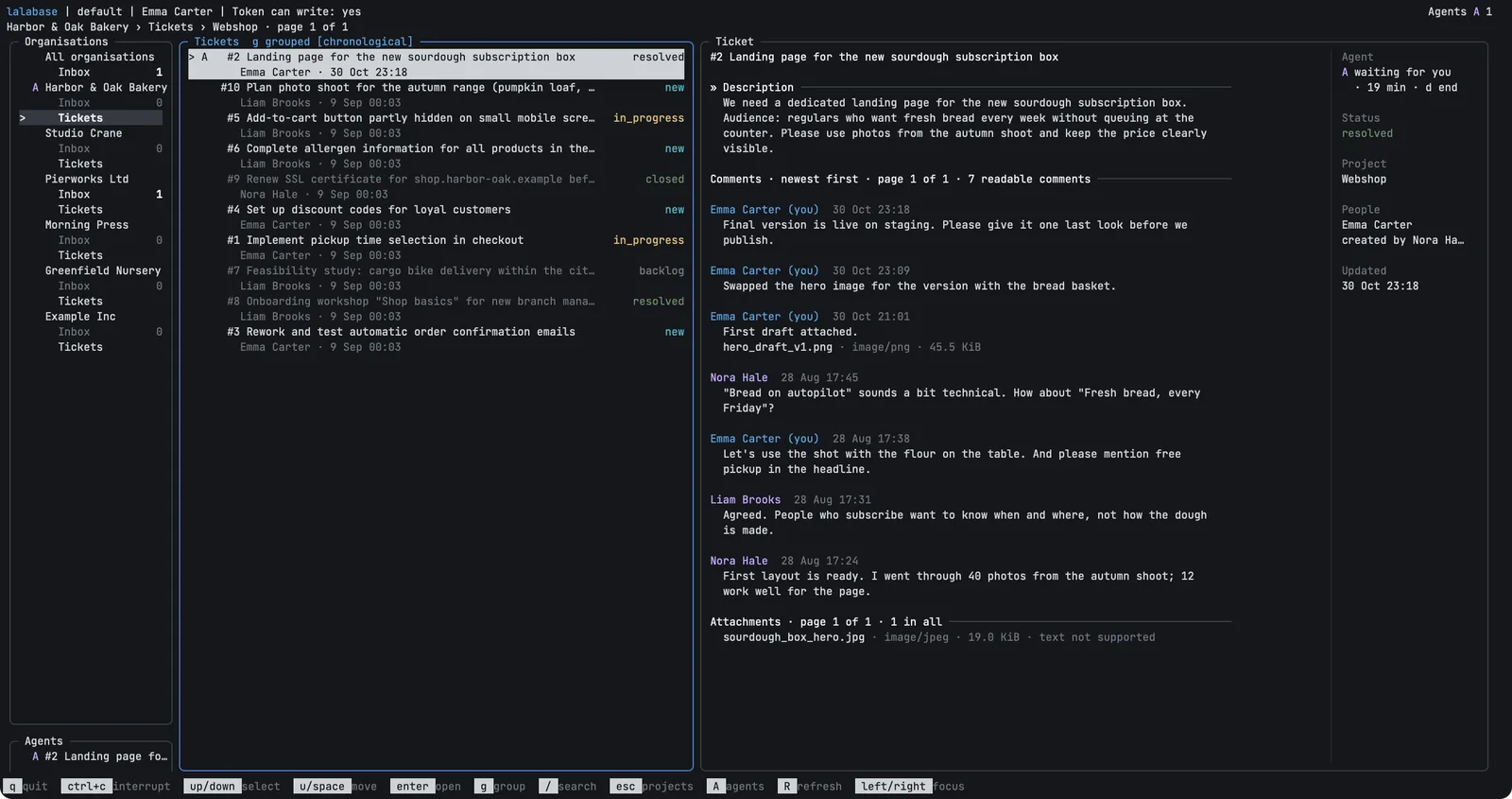
Example with invented data.
How it fits with Lalabase
The CLI tool is a second way into your Lalabase server, not a replacement for the web app. Your data stays on the server.
| Web app | CLI tool | |
|---|---|---|
| Inbox, reading tickets, comments | yes | yes |
| Booking time on a ticket | yes | yes, for today |
| Creating tickets, changing status, title or assignee | yes | not yet |
| Boards, time reports, exports | yes | no |
| Docs, meetings, the AI assistant | yes | no |
| Clients, roles, settings, administration | yes | no |
| Starting and watching Claude Code on a ticket | no | yes |
The Lalabase MCP server lets an agent reach your data. The CLI tool adds what a person needs around it: it starts the agent on the right ticket in the right folder and shows what it is doing.
What it does not do
- No scripting. The tool is interactive. There is no JSON or plain text output yet, and in a pipe it stops with an error.
- No ticket management yet. You cannot create tickets or change their status, title or assignee. Comments cannot be edited or deleted.
- Plain text comments only, and no uploads.
- No images in the terminal. A file opens in your browser, which uses its own login. The tool downloads nothing.
- No offline mode. Pages you have seen appear at once from a cache, but every start needs the server.
- Claude Code only. The tool starts no other agent.
- No Windows. The tool runs on macOS and Linux only. It opens panes of its own only in iTerm on macOS, elsewhere Claude Code takes over the terminal.
The tool is still young. The next step is the installation.