Inbox and tickets
The interface adapts to the window: two panes from 80 columns, three from 120. On the left you choose the organisation, the inbox and the tickets, in the middle stands the list, on the right the open ticket.
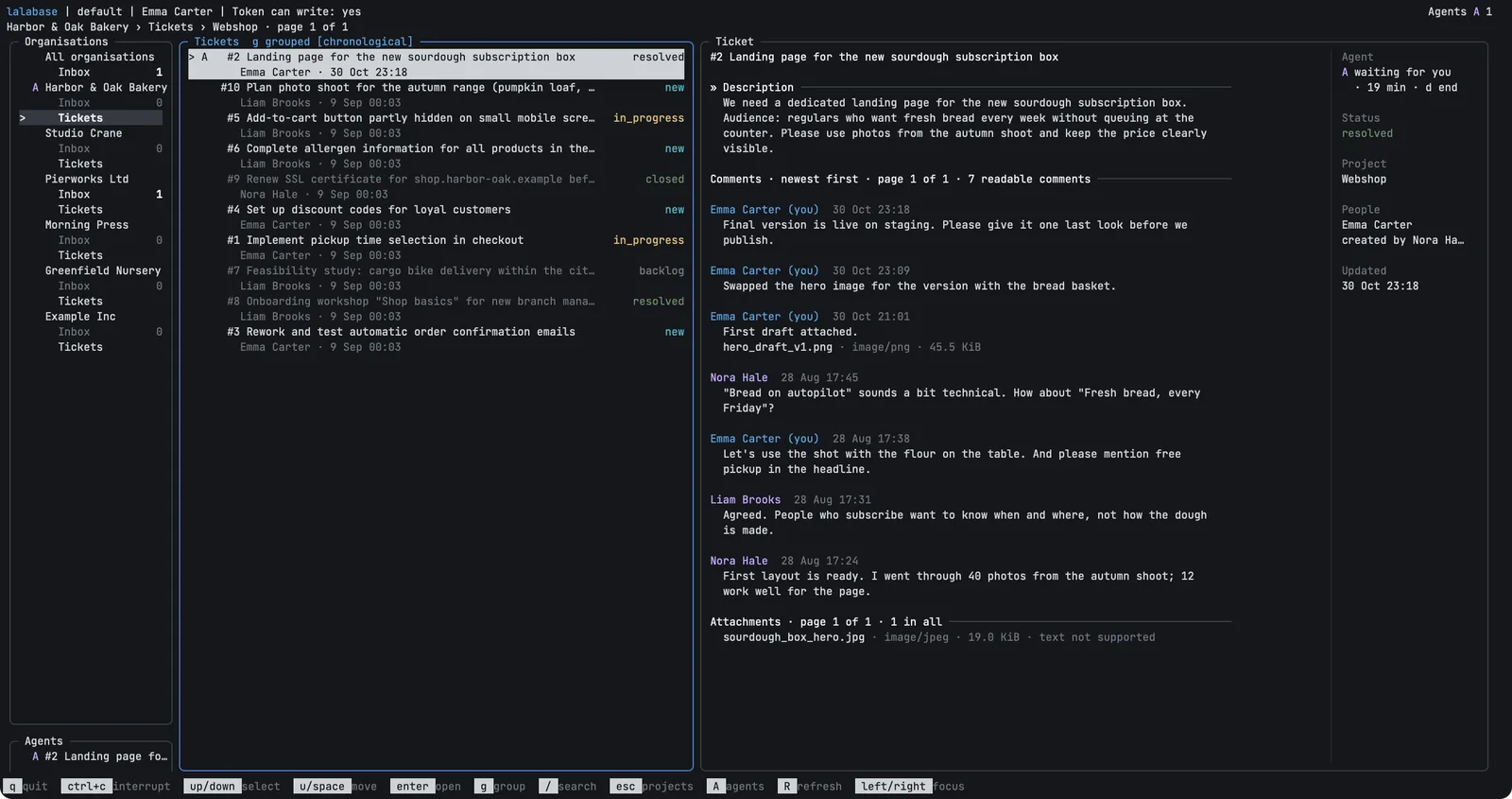
Example with invented data.
Inbox
The inbox shows the unread notifications of all your organisations with their counts.
Enter opens the details of a notification, and o from there the ticket it names. r
marks it as read, in the inbox and in the ticket opened from it.
Tickets
Choose a project and move through its tickets. The ticket appears beside the list once the cursor rests on it for a moment.
/searches the list, an empty search clears the filter again.ggroups the list by status and switches back.[and]turn the page.Tabmoves between the description, comments and attachments of a ticket.eshows a long text whole.
The tool shows no images. Select a file and press Enter to open it in your browser,
which uses its own login.
Commenting
k opens a text box. Enter breaks the line, ctrl+s sends, Esc closes. Your draft
stays with the ticket until you quit the program or the session expires. Comments are plain text of up to 10,000
characters.
Booking time
b opens a field for the duration and one for an internal note. The booking is for today
and in your name. Write the duration as 30, 1:30 or 1.5.